Control who can access VixxoLink, accept jobs, invoice, and view payments by creating and managing user accounts for your service provider company. User Management is available to users with the User Management role. This guide walks through adding new users, assigning roles, and updating or inactivating existing accounts.
*If you are stuck and need assistance, please call 866-988-5376 — Option 1 for invoices already submitted (payment status), Option 2 for help submitting an invoice or quote, Option 3 for VixxoLink technical support, Option 4 for dispatch/service-request questions — or click the Submit a Ticket button at the top right.
User Roles Overview
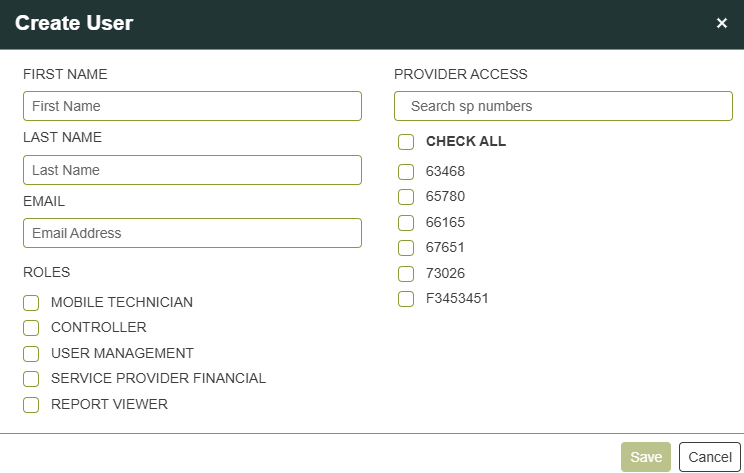
When you create or edit a user, assign one or more roles based on what that person needs to do in VixxoLink:
- Mobile Technician — Technician in the field completing jobs on VixxoLink Mobile
- Controller — Can accept jobs, set ETAs, view and create quotes and invoices
- User Management — Can create and modify users
- Service Provider Financial — Can view payments information
- Report Viewer — Can view reports and KPI information
1. Create a New User
- Click User Management in the navigation bar at the top of the screen.

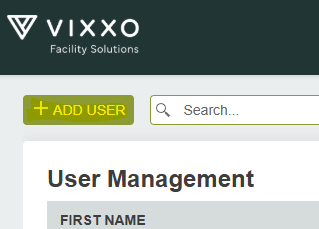
- Click + Add User to create a new user.
- Fill out the user's information. If you are associated with multiple Vixxo service provider profiles, select those the new user is associated with. Select the roles you want this user to have and click Save. The user will receive an email from donotreply@vixxo.com inviting them to set a password.
2. Edit an Existing User
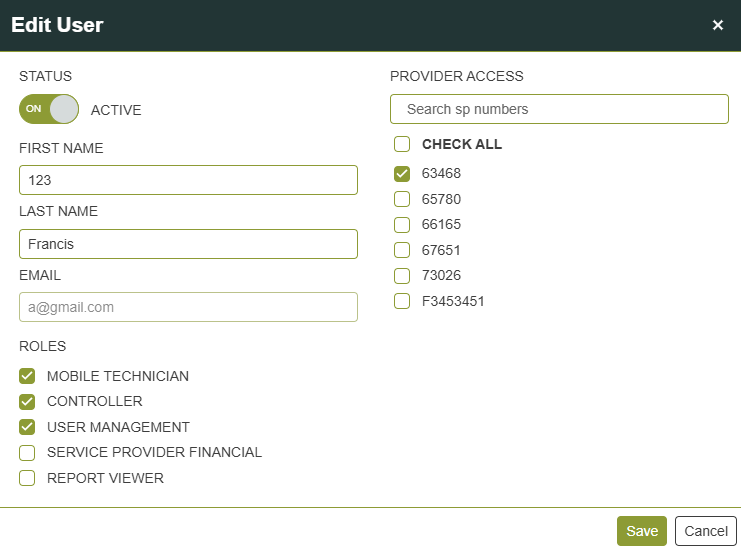
- From User Management, click the row for the user you want to edit.

- Modify the fields you need and click Save. You can update:
- First Name
- Last Name
- Roles
- Provider Access — Provider profiles they are associated with
- Status — Inactivating the user revokes VixxoLink access and they will not be able to log in
Email address changes: To update a user's email address, inactivate their account and create a new user with the new email.
Quick Reference — User Roles
| Role | What the user can do |
|---|---|
| Mobile Technician | Complete on-site work in VixxoLink Mobile (time in/out, photos, Review & Sign) |
| Controller | Accept jobs, set ETAs, create quotes and invoices |
| User Management | Add, edit, and inactivate user accounts |
| Service Provider Financial | View payment history and forecast in VixxoLink |
| Report Viewer | View KPI and performance reports |
Related articles:
Was this article helpful?
That’s Great!
Thank you for your feedback
Sorry! We couldn't be helpful
Thank you for your feedback
Feedback sent
We appreciate your effort and will try to fix the article