VITA (Vixxo's Intelligent Technical Assistant) helps technicians on site with troubleshooting, manuals, and parts information. Use VITA from the VixxoLink Mobile app while timed in to a service request.
*If you are stuck and need assistance, please call 866-988-5376 — Option 3 for VixxoLink technical support — or click the Submit a Ticket button at the top right.
Overview Video
Watch this short overview of VITA before using it on your next service request.
How to Use VITA
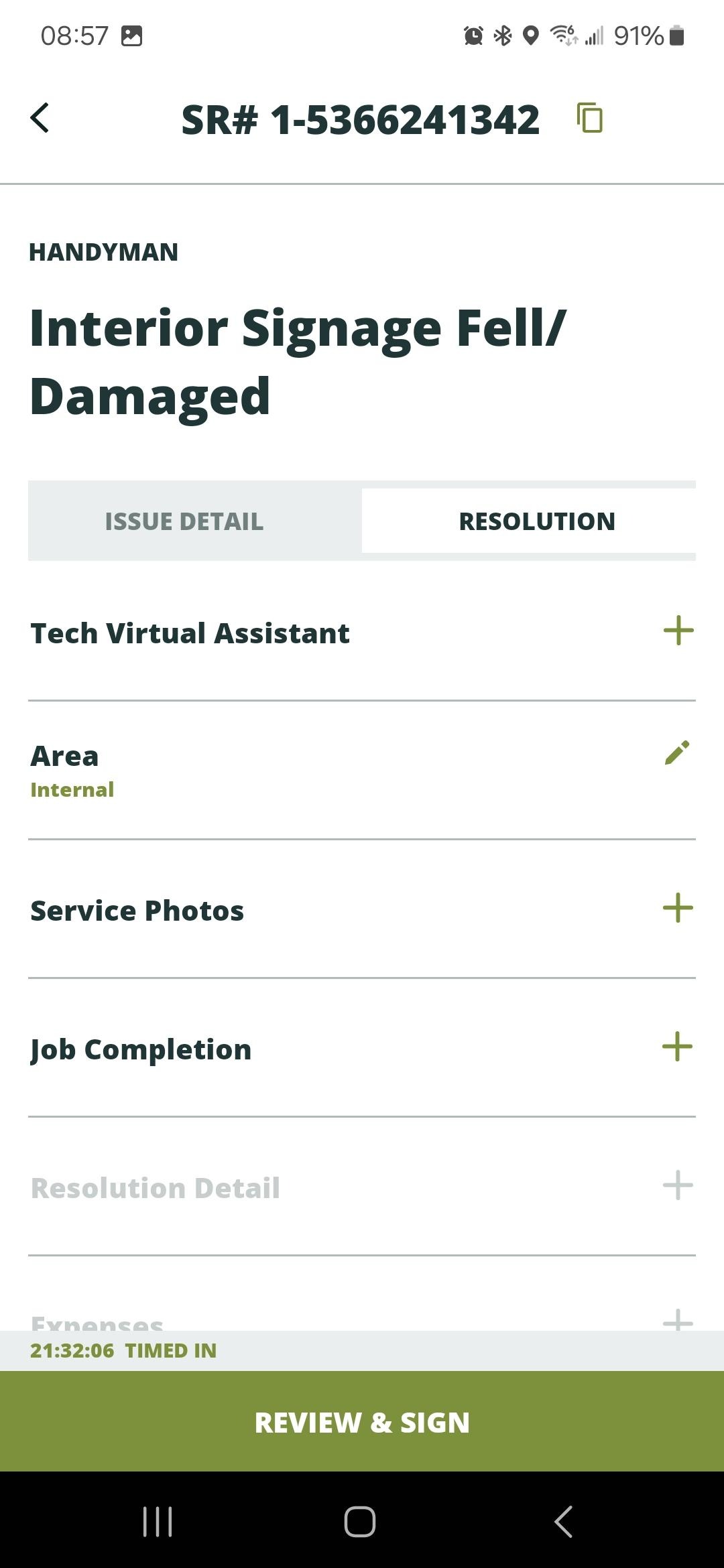
- Once you are timed in to the service request, tap Tech Virtual Assistant under the Resolution tab.
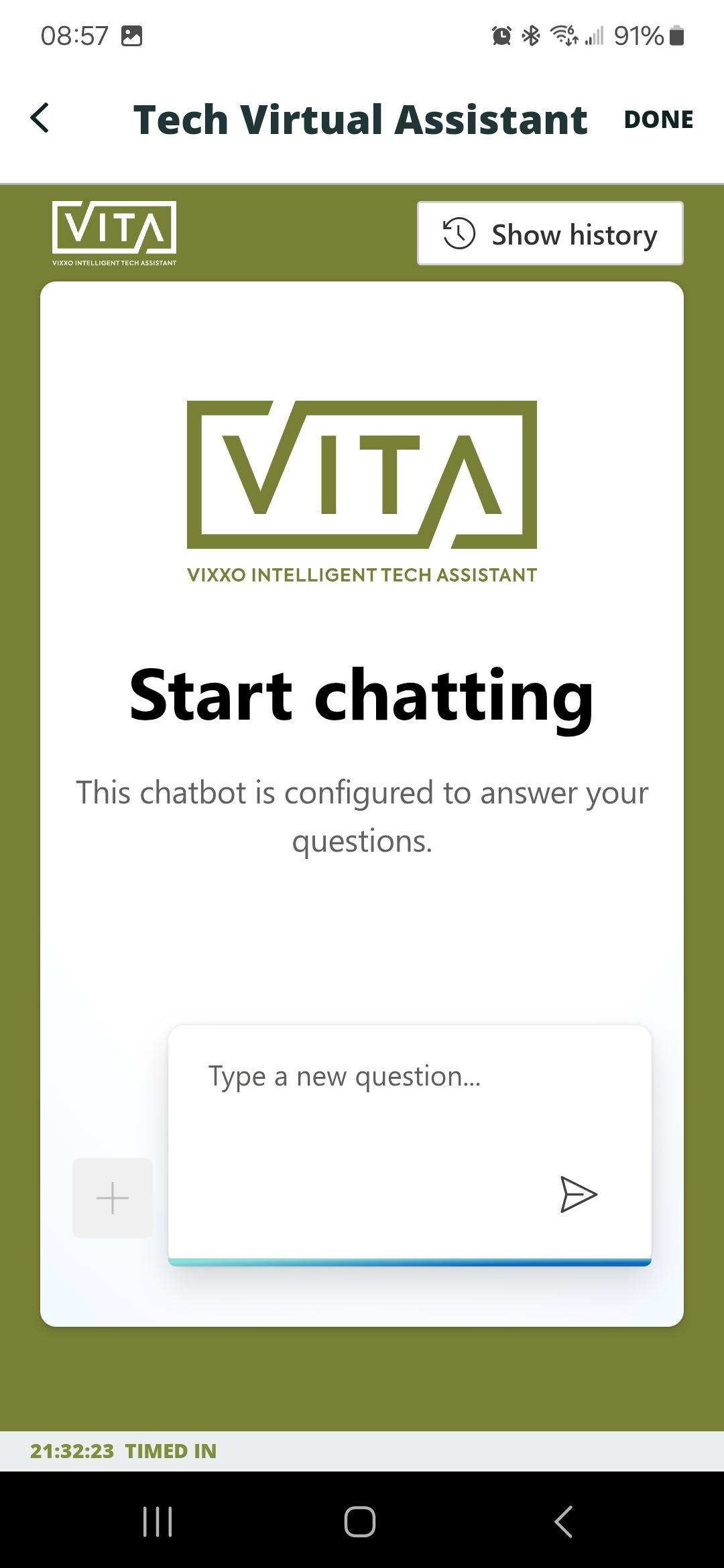
- Tap the + or type a new question before tapping the Send button to get started.
- VITA can assist with questions, providing manuals, parts numbers, and more. Tap on provided content to open it and get more details. Use the Back arrow at the top left to go back to the conversation.
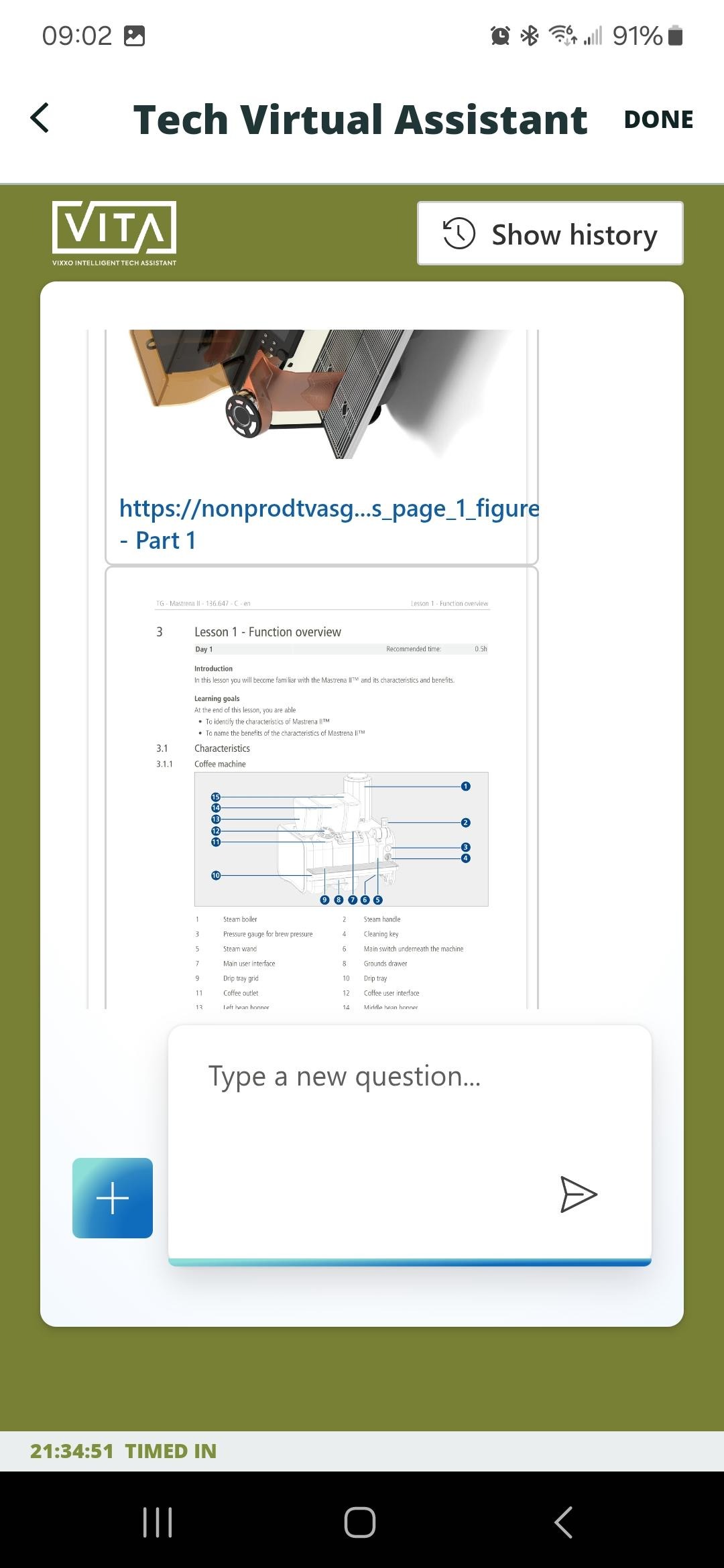
- Tap Done to return to the service request.
Related articles:
Was this article helpful?
That’s Great!
Thank you for your feedback
Sorry! We couldn't be helpful
Thank you for your feedback
Feedback sent
We appreciate your effort and will try to fix the article