Update an existing technician ETA in VixxoLink when schedules change so the customer and Vixxo always have an accurate arrival time. Use the back-office dashboard to revise ETAs on accepted jobs before the technician times in.
*Update the ETA as soon as you know the schedule has changed — do not wait until the technician is en route or on site.
*If you are stuck and need assistance, please call 866-988-5376 — Option 1 for general service provider support, Option 2 for quotes and invoicing, Option 3 for VixxoLink technical support, Option 4 for dispatch and service-request questions — or click the Submit a Ticket button at the top right.
Before You Update an ETA
- You can update an ETA any time after accepting a service request and before the job is completed.
- Changes are reflected immediately on the service request for Vixxo and the customer.
- Technicians can also update ETAs from VixxoLink Mobile — see Mobile - Updating an ETA.
Update an ETA in VixxoLink
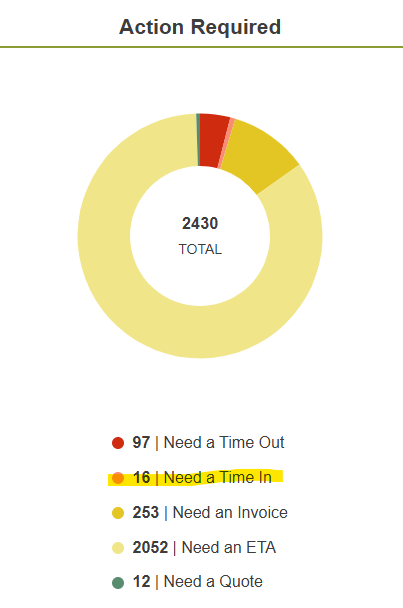
- From the dashboard, click Need a Time In to view jobs waiting on a technician, or use the search bar to find a specific service request number.
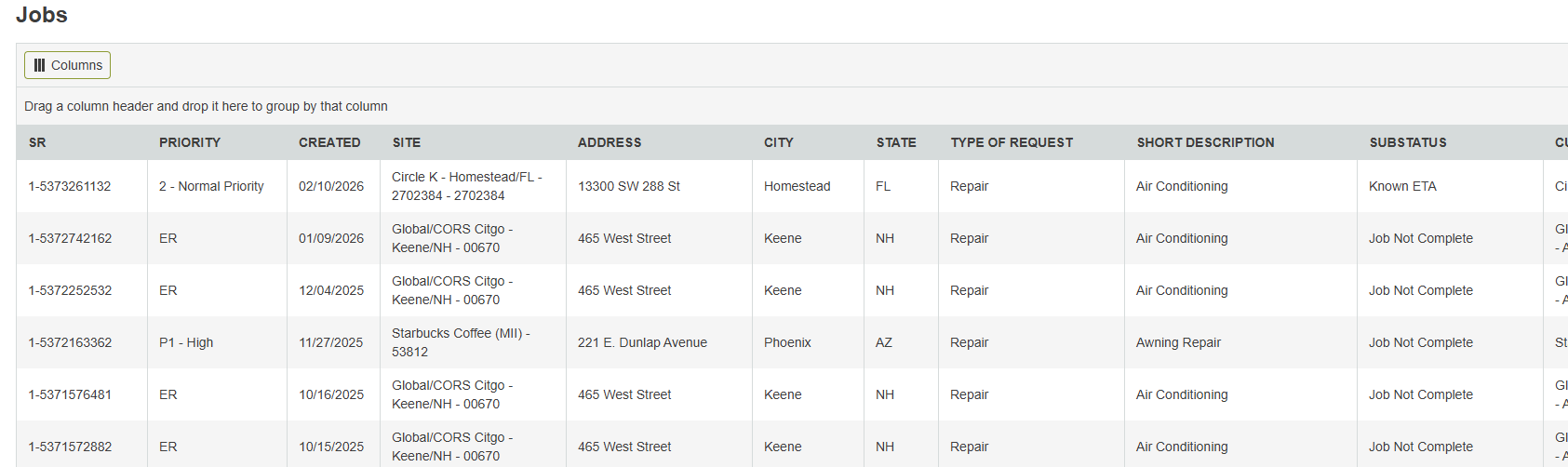
- Click the service request row you want to update in the table.
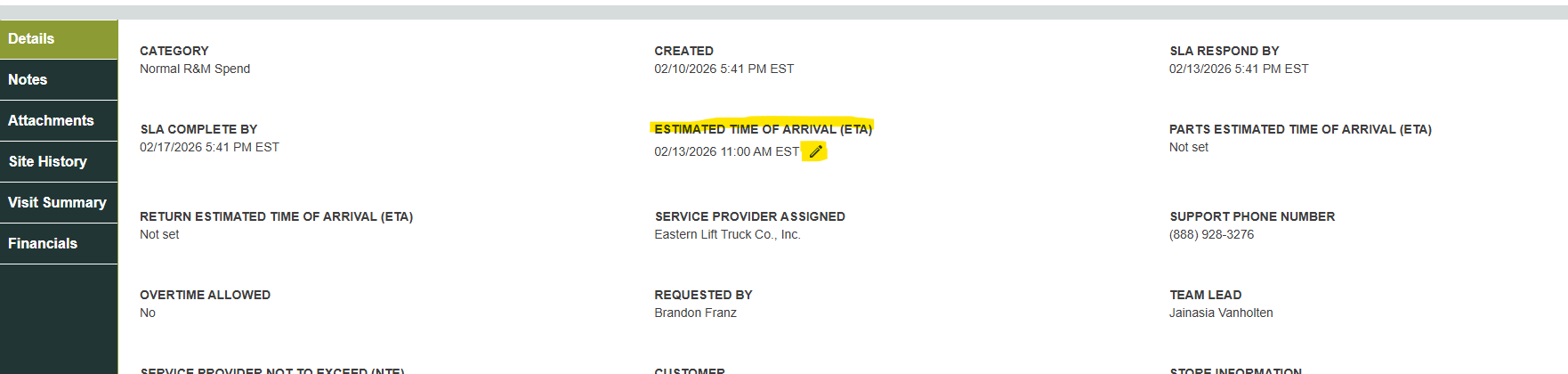
- Find Estimated Time of Arrival and click the pencil icon to edit.
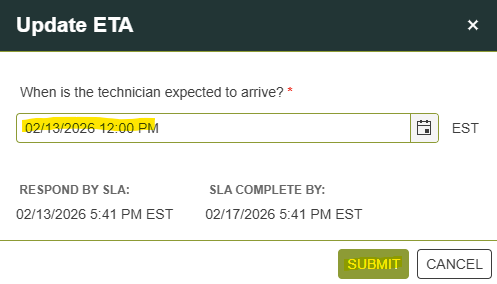
- Enter the new ETA and click Submit. The updated ETA appears on the service request immediately.
Related articles:
- Accepting/Declining a Service Request and Adding an ETA
- Mobile - Updating an ETA
- Timing In/Out
- Step by Step - Work Order Process
Was this article helpful?
That’s Great!
Thank you for your feedback
Sorry! We couldn't be helpful
Thank you for your feedback
Feedback sent
We appreciate your effort and will try to fix the article