Log in to VixxoLink and reset your password when needed. Use the email address on file with Vixxo and follow the verification steps to regain access or update your credentials.
*Your VixxoLink login email is the address Vixxo has on file for your service provider account. Contact Vixxo if you are unsure which email to use.
*If you are stuck and need assistance, please call 866-988-5376 — Option 1 for general service provider support, Option 2 for quotes and invoicing, Option 3 for VixxoLink technical support, Option 4 for dispatch and service-request questions — or click the Submit a Ticket button at the top right.
Log In to VixxoLink
- Go to the VixxoLink login page, enter your email and password, and click Sign In.
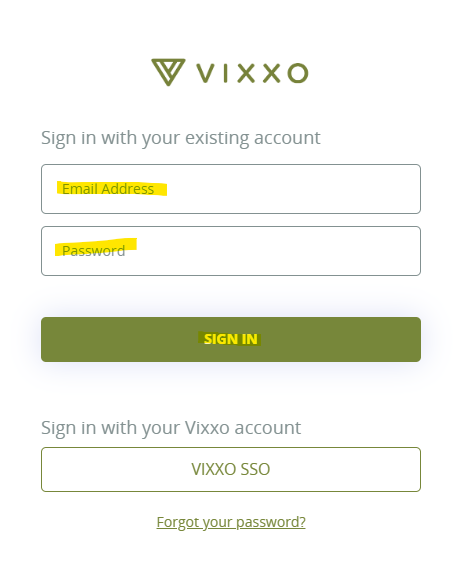
Reset or Update Your Password
Use these steps if you forgot your password or need to set a new one.
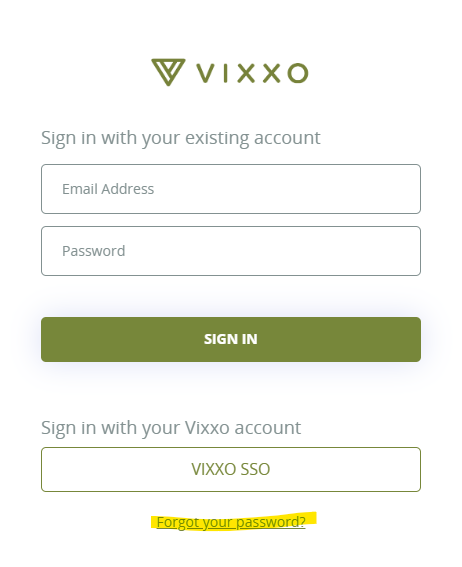
- On the login page, click Forgot your password?
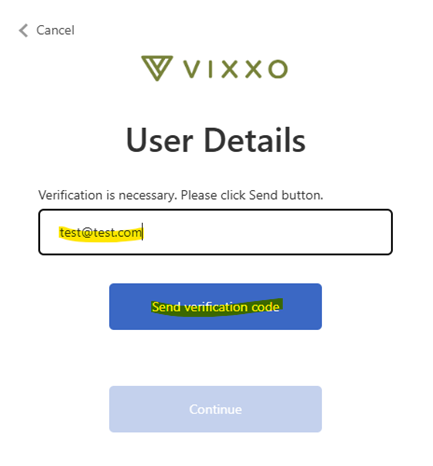
- Enter your email address and click Send verification code.
- Enter the verification code you received and click Verify code.
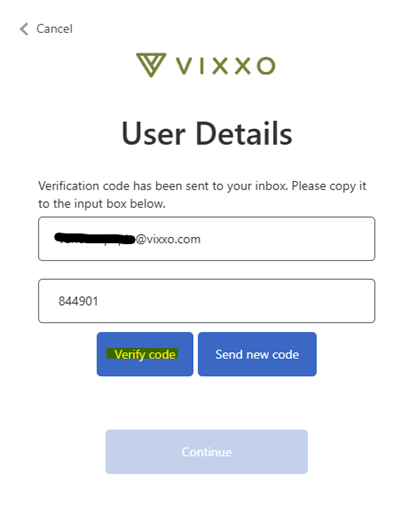
- When your email is verified, click Continue.
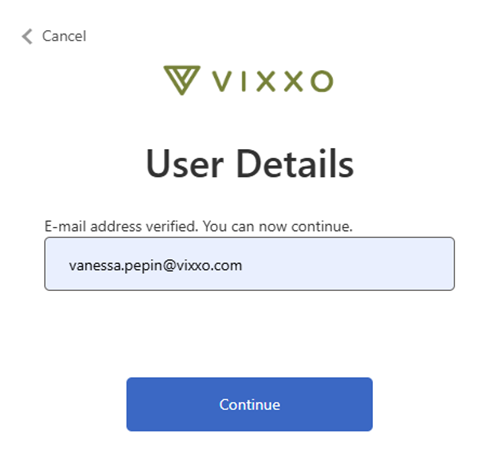
- Enter your new password in both fields and click Continue.
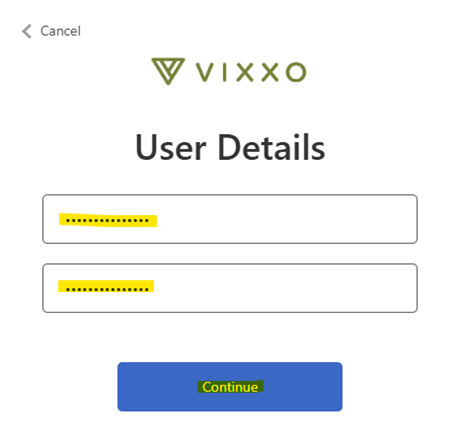
Your password has been updated — log in using the new password.
Related articles:
- Accepting/Declining a Service Request and Adding an ETA
- Step by Step - Work Order Process
- Service Provider FAQs
- Dispatch Email Example
Was this article helpful?
That’s Great!
Thank you for your feedback
Sorry! We couldn't be helpful
Thank you for your feedback
Feedback sent
We appreciate your effort and will try to fix the article